R36S Specs: Complete Hardware Setup & Technical Details
Before buying the R36S, it helps to understand exactly what you're getting. Here is a comprehensive breakdown of the R36S specs, hardware capabilities, and what they mean for your retro gaming experience.
R36S Specifications Overview
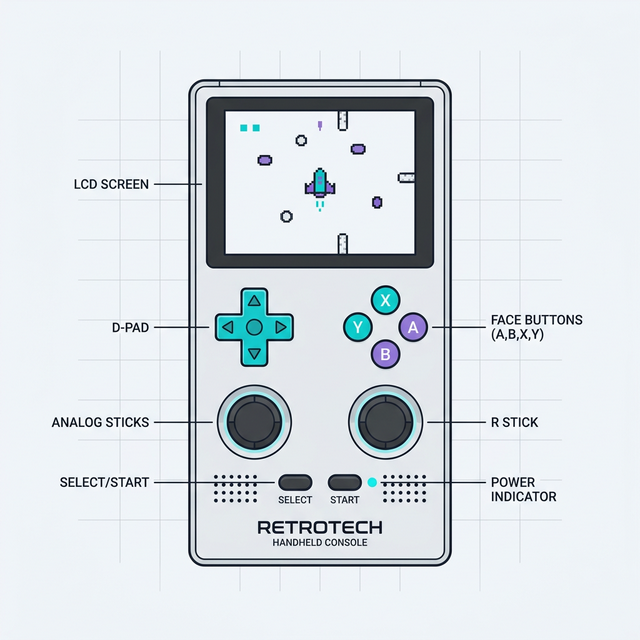
The R36S is built around the popular RK3326 chipset, which has become the gold standard for budget vertical handhelds. Here are the core specifications:
| Component | Specification |
|---|---|
| CPU (Processor) | Rockchip RK3326 (Quad-Core ARM Cortex-A35 1.5GHz) |
| GPU (Graphics) | Mali-G31 MP2. Clock is set by the firmware's device tree rather than fixed in silicon — listings cite both 520 MHz and 650 MHz |
| RAM | 1GB DDR3L |
| Display | 3.5-inch IPS, 640 x 480 resolution (4:3 aspect ratio), OCA full lamination |
| Storage | Dual MicroSD Card Slots (TF1 for OS, TF2 for Games). Supports up to 256GB/512GB depending on firmware. |
| Battery | 3000 or 3200 mAh Li-ion (cell type 804066). Some listings and aggregators state 3500 mAh; that figure is not accurate for this device |
| Controls | D-Pad, ABXY, L1/L2, R1/R2 (inline), Dual analog thumbsticks, Start/Select/FN keys |
| Ports | 2x USB-C (1 OTG, 1 Charging), 1x 3.5mm Headphone Jack |
| Wireless | No built-in Wi-Fi or Bluetooth (requires OTG adapter + Wi-Fi dongle) |
| Speaker | Single bottom-firing mono speaker |
| OS Compatibility | ArkOS (Default), Rocknix, AmberELEC (via community ports) |
| Dimensions | Approx. 120 x 83–85 x 21 mm (4.7 x 3.3 x 0.8 inches). Seller listings differ by a couple of millimetres on the middle figure |
| Weight | Approx. 180–190 g (6.3–6.7 oz) depending on source |
Why these numbers vary between sellers
The R36S is not built by a single company. Multiple vendors assemble it from the same reference design, and the hardware has been revised more than once — which is exactly why custom firmware ships several .dtb files for different screen panels. So published specifications disagree, and any page claiming one definitive number for every row is overstating what is knowable.
The rows above that are safe to rely on are the ones every source agrees on: the RK3326 SoC, 1 GB of RAM, the 3.5-inch 640×480 IPS panel, two microSD slots and the absence of any built-in radio. Battery capacity, exact millimetres, weight and GPU clock are the rows where listings conflict, so treat them as approximate. If a seller quotes a speaker wattage in the single or double digits, that figure is marketing rather than measurement.
Deep Dive into Key Components
1. The Processor: Rockchip RK3326
The RK3326 is an older but heavily optimised chip. It originally powered devices like the Anbernic RG351 series, which matters more than the raw numbers do: years of community firmware work already exist for this exact silicon, so the ArkOS and Rocknix builds running on the R36S are mature rather than experimental.
The detail worth understanding is which ARM core it uses. The Cortex-A35 is ARM's efficiency design, not a performance one — it is built to sip power in an always-on device, and it executes instructions strictly in order rather than reordering them on the fly the way an out-of-order core such as the Cortex-A73 or A76 does. Four of them at up to 1.5 GHz adds up to respectable total throughput, but the ceiling on any single core is modest.
That single-core ceiling is the whole story of what this handheld can and cannot emulate. Emulating a console means one thread has to stay in lockstep with the original hardware's timing, and that thread cannot be spread across the other three cores. So:
- Everything up to PS1 runs full speed — NES, SNES, Genesis, Game Boy through GBA, PS1, and most arcade boards of that era. The emulators for these need far less per-core performance than an A35 provides.
- N64 and Dreamcast are borderline, not broken. They are playable with frame-skipping, resolution reductions, or per-game tweaks, and results differ noticeably from title to title. See our N64 optimisation guide and Dreamcast guide for the specific settings.
- Saturn and GameCube are out of reach, and no firmware or overclock changes that. The Saturn in particular is hard to emulate for architectural reasons rather than raw speed ones.
- PSP is a curated subset, not a library. A handful of lighter 2D and isometric titles hold full speed; most 3D games do not. Our PSP guide is specific about which is which — treat any blanket "PSP works" claim with suspicion.
The 1 GB of RAM is rarely the constraint. It is enough for every emulator in the range above; when something fails on this device it is almost always CPU timing, not memory.
2. The Display: 3.5" IPS 640x480
This is where the R36S punches above its weight class, and the reason is arithmetic rather than marketing. 640×480 over a 3.5-inch diagonal works out to roughly 228 pixels per inch, and more importantly it is an exact multiple of the resolutions most retro consoles actually output. That means integer scaling: every source pixel becomes a clean 2×2 or 3×3 block, with no interpolation blur and no uneven rows.
The single best case is the PlayStation 1. Its common 320×240 output doubles to exactly 640×480 — a perfect, edge-to-edge fill with nothing scaled or cropped. That is unusual on a handheld this cheap, and it is a large part of why the R36S has the reputation it does for PS1.
| System | Typical output | Best integer scale | Result on a 640×480 panel |
|---|---|---|---|
| PlayStation 1 | 320 × 240 | 2× | 640 × 480 — exact full-screen fit |
| Nintendo 64 | 320 × 240 | 2× | 640 × 480 — exact, when the emulator keeps up |
| Sega Genesis | 320 × 224 | 2× | 640 × 448 — fills the width, thin bars top and bottom |
| NES | 256 × 240 | 2× | 512 × 480 — fills the height exactly, bars at the sides |
| SNES | 256 × 224 | 2× | 512 × 448 — small border all round |
| Game Boy Advance | 240 × 160 | 2× | 480 × 320 — 3× would need 720 px of width, so it will not fit |
| Game Boy / Color | 160 × 144 | 3× | 480 × 432 — generous border, still pixel-perfect |
The practical takeaway: leave your emulator's scaling on an integer or "pixel perfect" option rather than stretching to fill. Stretching a 256-pixel-wide SNES image across 640 pixels means each source pixel covers two-and-a-half screen pixels, which is what produces the soft, unevenly-thick look people mistake for a bad screen. The panel is not the problem — the scaling mode is. Our screen settings guide covers where those options live in each firmware.
Display Variance Note
Because these are budget devices, the manufacturer often sources different LCD panels. This is why you need specific .dtb (Device Tree Blob) files when flashing custom firmware, otherwise you'll encounter a black screen bug.
3. Dual SD Card Setup
The R36S uses a twin MicroSD setup. TF1 (right slot) is exclusively for the operating system, while TF2 (left slot) holds your ROMs and BIOS files. This is highly advantageous, as you can reflash or update the OS on TF1 without ever touching your massive game library on TF2.
Stock SD Card Warning
The SD cards that come with the device are generic unbranded cards prone to rapid failure. Purchasing a reliable SanDisk or Samsung MicroSD card is an absolute necessity.
4. Battery Life
Community reports cluster around these figures, and they track what you would expect from the CPU discussion above — the harder a system works one core, the shorter the runtime:
- Around 6–7 hours on lightweight systems (Game Boy, NES, SNES).
- 5–6 hours on PS1, and 4–5 on N64, which is the hardest thing this chip attempts.
- Less again with a Wi-Fi dongle attached, since the OTG port powers it from the same cell.
Screen brightness moves this number more than almost anything else, because the panel and the backlight draw continuously regardless of what is being emulated. Dropping brightness a couple of steps is usually worth more runtime than any emulator setting.
Charging: the one hardware limitation that catches people out
The R36S charges over plain 5 V only. It has none of the negotiation circuitry that USB Power Delivery or Quick Charge rely on, which produces the single most common "my new handheld is broken" report: a USB-C to USB-C cable from a modern phone or laptop charger will often not charge it at all.
Use a standard USB-A to USB-C cable plugged into an ordinary 5 V USB-A charger or port. Nothing is wrong with the device if a C-to-C cable does nothing; that is expected behaviour for hardware without a PD controller. Our charging troubleshooting guide works through the exact cable and adapter combinations.
Also note that the two USB-C ports are not interchangeable — one is wired for charging and the other for OTG data. Plugging the charger into the OTG port is another frequent cause of "it will not charge".
5. What the Specs Do Not Include
Three absences shape the experience more than any of the numbers above, and none are defects:
- No Wi-Fi or Bluetooth on the standard R36S. There is no radio in the base model this page describes. Netplay, RetroAchievements and over-the-air transfers all require a USB Wi-Fi dongle on the OTG port, and only certain chipsets have working drivers — see the Wi-Fi setup guide before buying one, which also covers the variants: the R36S Plus and R36XX do ship with Wi-Fi built in. No Bluetooth on any of them means no wireless controllers and no wireless headphones; the 3.5 mm jack is the only headphone option.
- No video output. Neither USB-C port carries DisplayPort alt-mode and there is no mini-HDMI, so the device cannot be played on a TV. This is the most common feature request and the answer is hardware, not firmware.
- No internal storage. Everything lives on the two microSD cards, which is why the stock card matters so much — there is no fallback if it fails. That failure mode is the site's single most reported problem.
6. Checking What You Actually Received
Because the specification varies between production runs, it is worth confirming your own unit rather than trusting a listing. The checks that do not require any software:
- Count the SD slots. Two is correct. Many clones ship with one, and a single-slot unit is the clearest sign you did not get an R36S.
- Find the FN button. Genuine units have a working FN key; on clones it is frequently absent or non-functional.
- Check the boot screen. It should show ArkOS or Rocknix. EmuELEC or a "K36" branded splash indicates different hardware than this page describes.
- Note which
.dtbyour firmware needs. Which panel file produces a working display tells you which screen revision you have, and you will need that information again the next time you reflash.
Our clone detection guide goes further, including the internal checks that need the shell open, and the buying guide covers what to ask a seller before you order.
Comparisons to Other Handhelds
The specs of the R36S place it directly against competitors like the Miyoo Mini Plus and the Anbernic RG35XX.
R36S vs Miyoo Mini Plus
The R36S has analog sticks and the stronger SoC, so it is the only one of the two that reaches PS1 properly and can attempt N64 at all — though N64 and Dreamcast remain borderline rather than comfortable. The Mini Plus wins on built-in Wi-Fi.
R36S vs RG35XX Plus
The RG35XX Plus has a slightly more powerful H700 chip and built-in Wi-Fi, but runs a different OS landscape and typically costs more than the R36S.
Conclusion
For roughly $40, the R36S offers an incredible bang for the buck. The combination of the RK3326 chip, a vibrant 640x480 screen, and dual analog sticks makes it currently the best ultra-budget handheld on the market. If you are willing to spend a few minutes installing a high-quality SD card and updating the firmware, the hardware will serve you perfectly.